
Microsoft is the Most Spoofed Brand in Phishing Scams

New cybersecurity research shows that Microsoft has become the most
impersonated brand in phishing attacks worldwide. Cybercriminals are using fake emails and websites that look like legitimate Microsoft communications to trick Australians into handing over personal information, including passwords, payment details, and account access. This trend highlights how important it is for people and businesses of all ages to recognise cunning scams and protect themselves online.
What’s Happening?
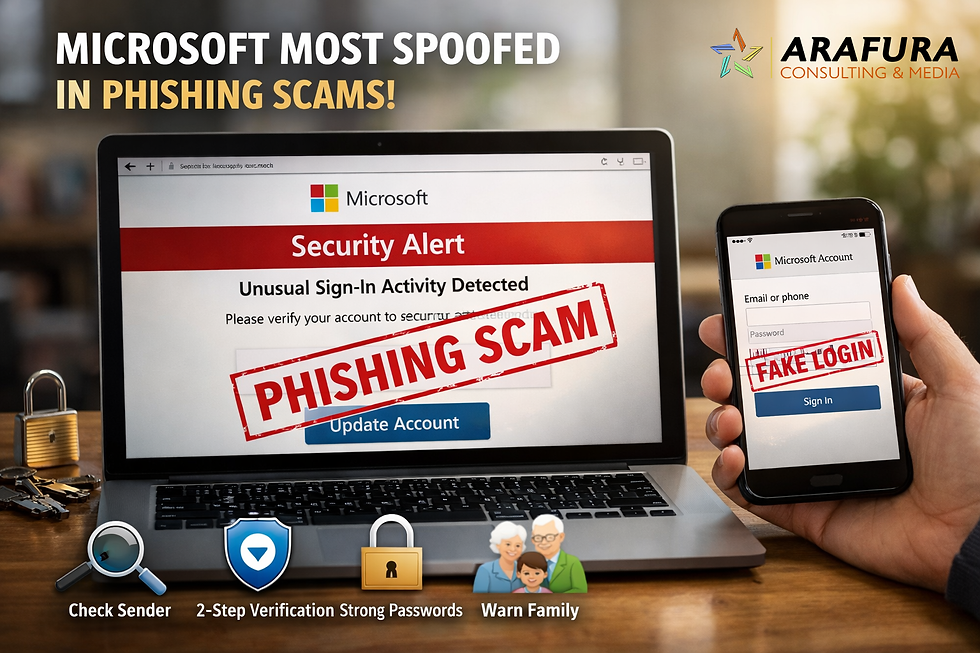
Cybersecurity experts analysing phishing scam trends in 2025 found that Microsoft was the top brand used by scammers when attempting to trick users into clicking malicious links or entering sensitive details. Phishing attacks often appear as:
Fake security alerts
Bogus account verification emails
Fraudulent billing or subscription notices
Spoofed login pages that look almost real
These scams rely on people recognising trusted logos and brand names, which makes them frighteningly effective.
Fake Microsoft login window Fake Roblox website
In many cases, criminals also target other well-known companies, such as Google and Apple, but Microsoft accounts were used most often in phishing campaigns because many Australians use Microsoft services every day for email, school, work, and cloud storage.
Why Microsoft Phishing Scams Matter To You
Phishing attacks are not just a “techie problem.” They can affect everyone who uses email or online services:
Students might be tricked by fake messages about school accounts.
Parents and carers could receive deceptive notices that look official.
Small businesses can lose access to email systems and financial accounts.
Seniors may be targeted with personalised, convincing scams.
Scammers don’t just want passwords, they also want access to your money, identity, and personal information. When trusted brands are spoofed, it becomes much harder to tell what’s real and what’s fake.
How to Stay Safe Online
Here are simple, clear-cut tips to protect yourself and the people you care about:
✔ Check Before You Click
Look carefully at the sender’s email address. I it really from a trusted domain?
Don’t click links in unexpected messages.
Hover over links (without clicking) to see the real web address.
✔ Use Strong Account Protection
Turn on two-factor authentication (2FA) wherever possible.
Use strong, unique passwords for every account.
✔ Don’t Share Personal Information
Legitimate companies won’t ask you to send passwords or bank details by email.
If in doubt, go directly to the company’s official website — don’t follow links in the message.
✔ Learn & Talk About Scams
Teach kids and older family members how to recognise phishing.
If you receive a suspicious message, ask a trusted friend or tech-savvy person for help.
By staying alert and practising safe habits online, Australians of all ages can reduce the risk of becoming victims of phishing scams.
What You Need to Do
If you think you have been caught by Microsoft phishing scams or a different type of phishing scam:
Change your passwords immediately.
Report the scam to the Australian Cyber Security Centre (ACSC) via ReportCyber (https://www.cyber.gov.au/report-and-recover/report)
Tell friends and family so they can be cautious too.
Being aware and proactive protects not just you, but it also helps keep our whole community safer online.


Comments