
Spoofing: How Scammers Pretend to Be Someone You Trust Online

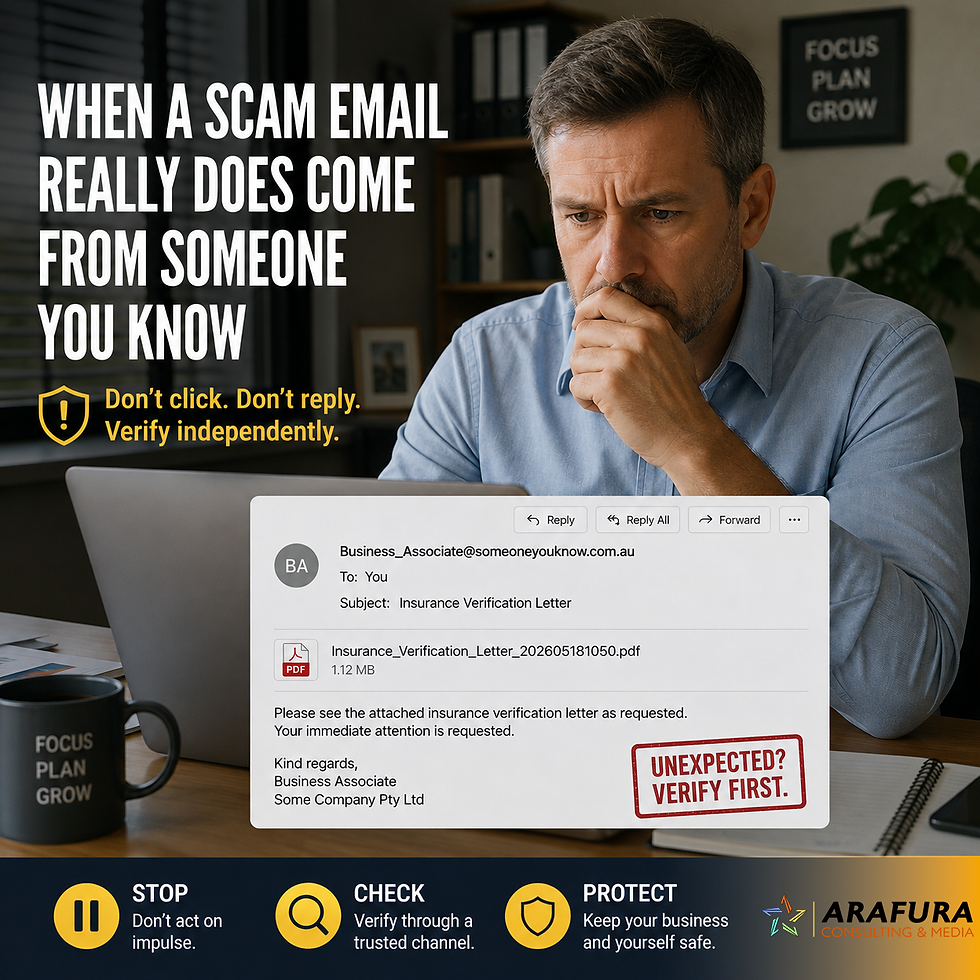
Let’s imagine this: you’ve just sat down with a cup of tea, comfortable in front of your laptop, breezing through your emails. A message lands in your inbox claiming to be from your bank or from someone you know. It looks genuine. The logo is correct. The language seems right. Yet… something feels off.
That “feeling” is important. Because in the digital age, one of the trickiest threats isn’t always what meets the eye — it’s what’s pretending to be something else. This trick is called spoofing.
What exactly is spoofing online?
Spoofing is the practice of pretending to be someone you trust online: sending fake emails, crafting websites that look official, or even making phone calls or texts that appear to be from a company or government service you recognise.
The goal? To fool you into giving up personal information, trick you into clicking a malicious link, or fool you into opening an attachment you wouldn’t if you knew the truth.
How it might reach you
For older 50+ readers who are confident online but also aware of the risks, you might encounter spoofing via:
An email that appears to be from your bank, asking you to confirm “urgent” account information.
A website that looks just like your favourite supermarket’s, inviting you to log in or update details (but it isn’t the real one).
A phone call from someone claiming to be from a government agency or utility or even Microsoft or Google. The caller ID might even look right.
A text message from a “friend” asking for urgent help or a link which leads somewhere you shouldn’t trust.
These are exactly the places where a peaceful afternoon on the computer can turn into a stressful moment of “what just happened?”
Simple steps to protect yourself
Here are some practical precautions — no heavy tech speak, just everyday common sense.
1. Spot the oddities.
Look carefully at email addresses and website addresses. Are there extra letters? A “1” instead of an “l”? A Cyrillic character instead of a familiar letter? These subtle changes matter.
2. Pause and verify.
If you’re not 100% sure a request is genuine, leave the link. Instead, open a new browser window and type the organisation’s address yourself. Or call the company using the number on their official website.
3. Trust your instincts.

If something gives you that little uneasy feeling — “this doesn’t look quite right” — act on it. Many organisations will never contact you in ways that feel forced, urgent or threatening.
4. Don’t rush.
Scammers often use urgency to push you into action. Slow down. A real bank won’t
close your account in five minutes because you haven’t clicked a link.
5. Stay updated.
Make sure your web browser and computer software are up-to-date. These updates can patch vulnerabilities that criminals exploit.
What to do if you suspect you’ve been targeted
Stop interacting with the message — don’t click any links or open attachments.
If the contact claimed to be from a company you use, reach out to them using official contact details and ask if they made the request.
Record any suspicious message (take screenshots) and report: in Australia, you can contact ScamWatch or your local police.
Change your passwords for important accounts, especially if you inadvertently supplied credentials.
Keep an eye on your bank statements for any unauthorised activity.
Quick recap

Spoofing = pretending:
Someone you don’t know tries to look like someone you do.
Be alert: Verify links, addresses and contacts.
Trust your gut: If it feels off, it probably is.
Take action: Don’t ignore suspicious communications — it’s better to pause, verify, and act wisely.
By staying one step ahead, you can keep enjoying your online life — safely, confidently and with peace of mind.


Comments